 PeskTop Pesktop- Download Fully Activated Programs for Windows, Mac

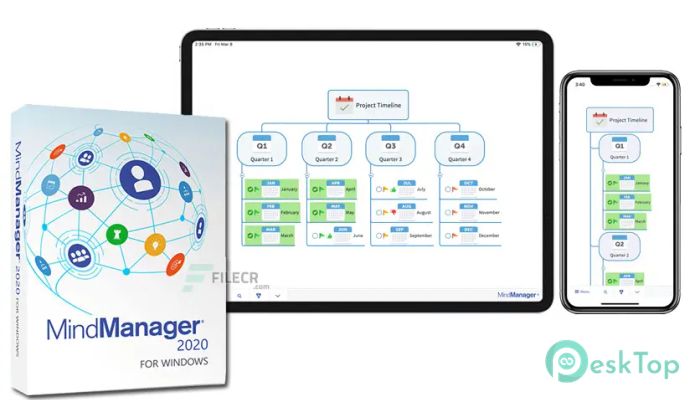
Mindjet MindManager 25.2.160 is a visual planning and information-management application for organizing ideas, projects, tasks, and business information. Instead of keeping related details across separate notes and documents, users can arrange them in connected maps that make relationships easier to understand. MindManager is useful for project managers, business teams, students, consultants, trainers, writers, and anyone who needs to turn scattered information into a clear working structure. A project can start with a simple idea and grow into branches containing tasks, deadlines, resources, priorities, and notes. The software can also be used for brainstorming, meeting preparation, planning workflows, creating outlines, and presenting complex information in a more understandable form. With MindManager 25.2.160 for Windows, users get a desktop environment built around visual thinking and structured information rather than relying only on traditional linear documents.
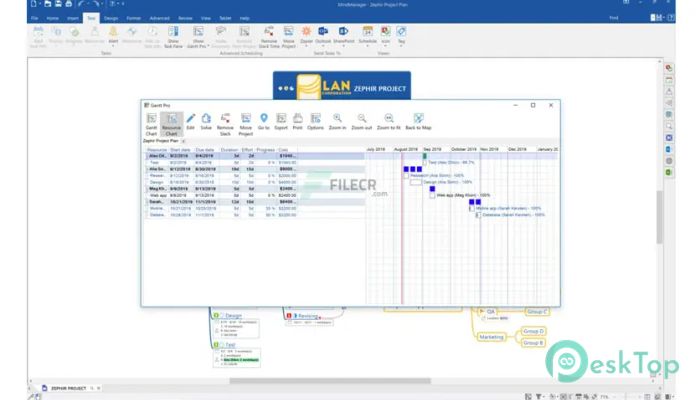
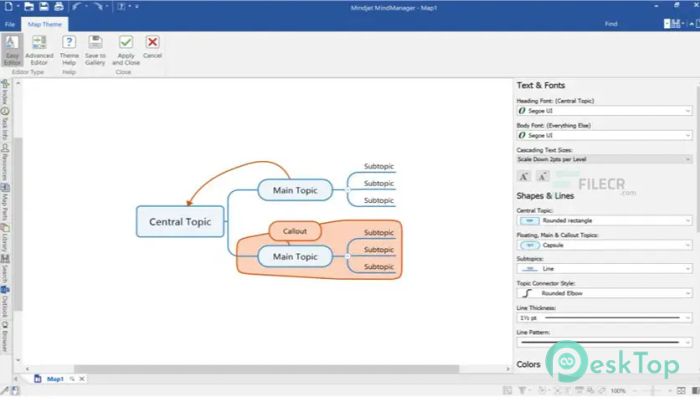
MindManager fits naturally into a planning workflow. A user can create a central topic, add branches, and then attach tasks, notes, links, relationships, and other information to individual topics. This approach is useful when a project has many connected parts that are difficult to track in a simple list. Teams can use maps for project planning, meeting agendas, process documentation, and brainstorming, while individual users can use them for research, personal planning, or organizing large amounts of information. The visual structure also makes it easier to move ideas around while a plan is still changing. Once the information is organized, a map can become a working reference for a project instead of remaining a temporary brainstorming document. MindManager also provides integration options with Microsoft Office and Microsoft Project, although some integrations require compatible Microsoft applications. This makes it useful in professional environments where planning information needs to connect with existing office workflows.
Mindjet MindManager 25.2.160 belongs to the MindManager Windows 25 product generation. The current Windows 25 requirements list Windows 10 and Windows 11, with both 32-bit and 64-bit editions supported. The published requirements specify a 1.6 GHz or faster dual-core processor, at least 4 GB of RAM, and 1.5 GB of available storage. Certain functions also require Microsoft Office Professional 2016 or later, Microsoft Project 2016 or later, Microsoft Edge WebView2 Runtime, and an internet connection. Because a detailed public changelog specifically identifying every change in build 25.2.160 is not available in the accessible release documentation, it would be misleading to invent build-specific features or performance claims. This version should therefore be treated as part of the Windows 25 release line, with its compatibility and workflow intended for current Windows systems. Users should also ensure that their Microsoft Office bit version matches MindManager when using Office integrations.
Key Features of Mindjet MindManager 25.2.160
- Visual Mind Mapping
Create connected maps that organize ideas, information, and project details in a visual structure. - Project Planning
Build project maps with tasks, priorities, dates, resources, and related information. - Task Management
Add task information directly to map topics to keep planning and execution connected. - Brainstorming and Outlining
Capture ideas quickly and develop them into organized plans, outlines, or workflows. - Office Integration
Connect MindManager workflows with supported Microsoft Office applications for compatible import and export tasks. - Information Organization
Combine notes, links, relationships, and other project information in a single visual workspace.
What’s new in Mindjet MindManager 25.2.160?
- Version 25.2.160 is part of the MindManager Windows 25 release line.
- Windows 10 and Windows 11 remain the supported Windows platforms for the Windows 25 generation.
- Both 32-bit and 64-bit Windows environments are supported.
- The Windows 25 release is designed around the established MindManager visual planning workflow.
- Project mapping and information-organization functions remain central to the desktop application.
- Supported Microsoft Office and Microsoft Project integrations remain available where the required versions are installed.
- Microsoft Edge WebView2 Runtime is included among the additional requirements for certain functions.
- The application continues to provide a structured workspace for maps, topics, notes, tasks, and relationships.
- Performance depends on the computer hardware, map complexity, connected integrations, and Windows environment.
- No separate public build-specific changelog was available to verify additional interface or feature changes for 25.2.160.
- Users should refer to the official MindManager release notes for any changes not documented in general product information.
- Other fixes and performance improvements may be included in the maintenance release.
ScreenShots
System Requirements
- Operating System: Microsoft Windows 10 or Windows 11, 32-bit or 64-bit
- Processor: 1.6 GHz or faster, 2-core processor
- RAM: 4 GB or greater
- Storage: 1.5 GB available disk space
- Extra: 1280 × 720 minimum recommended display; Microsoft Edge WebView2 Runtime and internet connection may be required for certain features. Microsoft Office Professional 2016 or later and Microsoft Project 2016 or later are required for relevant integrations.
Why I Recommend
MindManager is useful when ordinary lists and documents do not provide enough structure for a complicated project. Its map-based approach lets users see how ideas, tasks, information, and dependencies relate to each other. This can make planning sessions easier to organize and gives users a flexible workspace that can change as a project develops.
The practical benefit is the ability to keep planning information connected instead of separating it across multiple documents. MindManager for Windows can support brainstorming, project planning, research, meeting preparation, and process documentation from the same application. Office and Project integrations can also help users connect their visual planning workflow with familiar business software.
The software is particularly suitable for project managers, business professionals, consultants, students, educators, and teams that regularly work with complex information. It can also benefit individual users who prefer visual planning and need a structured way to turn ideas into actionable projects.
Technical Details
- Software Name: Mindjet MindManager
- Version: 25.2.160
- Developer: MindManager
- License Type: Full | Preactivated
- Supported OS: Windows 10 and Windows 11, 32-bit and 64-bit