 PeskTop Pesktop- Download Fully Activated Programs for Windows, Mac
  iToolab UnlockGo 6.3.0 for Windows is the only companion we need. We’ve all been there: a forgotten passcode after a long weekend, a “Disabled” iPhone after too many incorrect guesses by a curious toddler, or inheriting a device locked behind an old employee’s MDM profile. For full-stack developers and tech-savvy users, a locked device isn’t just a paperweight—it’s a massive block in the development and testing pipeline. When you can’t access your hardware, you can’t deploy your code.iToolab UnlockGo 6.3.0 is the surgical multi-tool designed to resolve these digital deadlocks. It solves the fragmentation of mobile security by providing a unified interface for bypassing Activation Locks, removing screen passcodes, and stripping away restrictive profiles. The 2026 version has been optimized for the latest firmware security patches, ensuring that “locked out” doesn’t mean “gave up.”
Mastering the Bypass: Key Features
The iToolab UnlockGo 6.3.0 for Windows 6.3.0 build introduces enhanced scripts for the latest mobile kernels. Here is what makes this version a staple in the professional toolkit:
- All-in-One Screen Unlocking: Instantly remove 4-digit/6-digit passcodes, Touch ID, and Face ID on iOS and Android devices.
- iCloud Activation Lock Bypass: An advanced checkm8-based exploit engine that allows you to bypass Activation Locks on compatible devices without the previous owner’s Apple ID.
- MDM Profile Removal: Completely strip Mobile Device Management (MDM) restrictions without losing data, allowing for full administrative control.
- FRP Lock Specialist: A dedicated Factory Reset Protection bypass for Samsung, Xiaomi, and Huawei devices, skipping the Google account verification step.
- Screen Time Passcode Recovery: Effortlessly remove or recover Screen Time restrictions without performing a factory reset.
- Find My iPhone (FMI) Off: A specialized utility to turn off FMI when you have access to the device settings but have forgotten the Apple ID password.
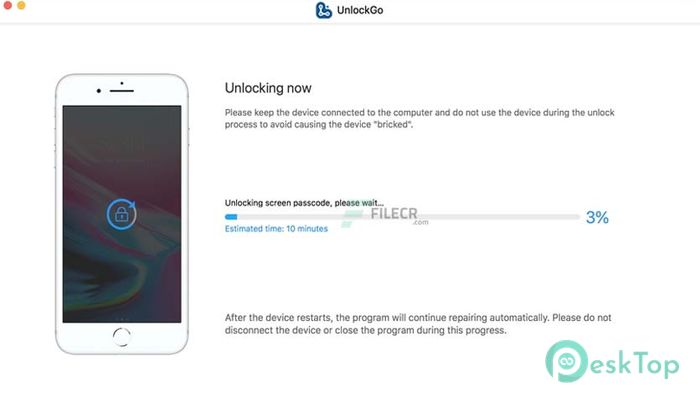
Screenshots
System Requirements
To ensure the exploit payloads execute without timing out, your Windows environment should meet these baseline specifications for iToolab UnlockGo 6.3.0 for Windows:
- OS: Windows 11, 10, 8.1, or 7 (64-bit recommended for 2026 build).
- Processor: 1GHz Intel/AMD CPU or above (Multi-core preferred for parallel processing).
- RAM: 1GB (Minimum); 4GB recommended for handling heavy firmware downloads.
- Hard Disk: 200MB for installation; additional space for mobile backup images.
- Connectivity: A high-quality USB-to-Lightning or USB-C data cable (standard charging cables may fail during data transfer).
Why I Recommend iToolab UnlockGo 6.3.0 for Windows
I’m naturally wary of “unlocking” software—many are just glorified wrappers for open-source scripts that might brick your device. However, UnlockGo 6.3.0 stands out because of its Success Rate Logic. It actually tells you if a bypass is possible before you start the process. As a peer who values uptime, I appreciate that it doesn’t overpromise; it simply executes.
“If your testing lab is full of locked ‘legacy’ devices, UnlockGo is like finding the master key to the building. It’s clean, it’s fast, and it respects your time.”
The candid truth? The UI is so simple that even your non-tech-savvy relatives could use it, but the underlying driver management is what I love. It handles the finicky Apple Mobile Device Support drivers automatically so you don’t have to go hunting through Device Manager. It’s witty, reliable, and it saved me from a $1,000 mistake last month. What more could you want?
Technical Specifications
| Technical Detail | Specification |
|---|---|
| Developer | iToolab Studio |
| License | Proprietary (Subscription/Lifetime) |
| Supported OS | Windows 7 through Windows 11 |
| Mobile Support | Latest iOS 19+ and Android 15+ |
| Version | 6.3.0 (2026 Update) |
